
Have you ever texted someone, written your name in a game, or looked up a video online? If you have, you have already worked with Python strings, one of the most basic concepts in programming.
In this guide, we’re going on an exciting journey to become proficient with Python strings. With the help of visual aids, we will discover how to make them, store them, locate letters within them, and even get a behind-the-scenes look at how amazing tricks like reversing a string actually function!
All set? Now let’s get started!
What are Python Strings and How Do We Make Them?
So, as we said, Python strings are just text. To tell Python that you’re writing text (and not a command), you need to wrap it in special characters: quotes.
Python is very flexible and gives you three ways to create strings. Each one has a special use.
1. Python Strings with Single Quotes (‘ ‘)
In Python strings, single quotes are perfect for single words or short sentences.
greeting = 'Hello, Python!'2. Python Strings with Double Quotes (” “)
These work exactly like single quotes! The reason we have both is for convenience. What if you need to use an apostrophe (which is a single quote) inside your string? You can wrap the whole thing in double quotes!
sentence = "It's a beautiful day."3. Python Strings with Triple Quotes (”’ ”’ or “”” “””)
These are the “story mode” quotes. When you have a long message, a poem, or any text that spans multiple lines, triple quotes are your best friend.
long_story = """Once upon a time,
in a land full of code,
a new programmer learned about strings.
"""
How Does a Computer Remember Python Strings? (Memory Allocation)
This is a really cool part. When you tell your computer to remember a number, like age = 10, it puts that number into a single memory box and labels it “age”.
But Python strings are different! A string is a sequence of characters. So, the computer doesn’t put the whole string in one big box. Instead, it breaks the string apart and puts each character into its own tiny, connected box.
Imagine the string “PYTHON”:
The computer stores it like this, in a row of labeled boxes:
| P | Y | T | H | O | N |
|---|---|---|---|---|---|
| Box 0 | Box 1 | Box 2 | Box 3 | Box 4 | Box 5 |
This organized system is what lets us perform all the cool tricks that are coming up!
Finding Your Way Around: Indexing in Python Strings
An index is the address of a character’s box. Python gives us two ways to find any character:
- Positive Indexing: Starts from 0 at the beginning
- Negative Indexing: Starts from -1 at the very end (a super useful shortcut!)
String:         P | Y | T | H | O | N
                --- --- --- --- --- ---
Positive Index: 0   1   2   3   4   5
Negative Index: -6  -5  -4  -3  -2  -1
Slicing and Dicing: Grabbing Parts of a Python String
“Slicing” means grabbing a piece (a “substring“) of your string. The formula is variable[start: end].
The Golden Rule of Slicing states that you stop just before the end index, even though you receive the character at the start index.
Let’s attempt to separate “GRAM” from the “PROGRAMMING” string. Word [3:7] will be the slice.
A Visual Guide to How Slicing Actually Operates
Let’s observe how Python complies with the command word [3:7].
Our String Map:
word =  P R O G R A M M I N G
index=  0 1 2 3 4 5 6 7 8 9 10

Python's Step-by-Step Process:

1.  **START at index 3.**
    P R O G R A M M I N G
          ^
    Result so far: "G"

2.  **Move to the next index (4).**
    P R O G R A M M I N G
            ^
    Result so far: "GR"

3.  **Move to the next index (5).**
    P R O G R A M M I N G
              ^
    Result so far: "GRA"

4.  **Move to the next index (6).**
    P R O G R A M M I N G
                ^
    Result so far: "GRAM"

5.  **Look at the next index (7).** The rule says STOP BEFORE index 7. So, we stop!

FINAL RESULT: "GRAM"
Adding a Step: Slicing with Style!
Additionally, you can add a step: variable[start: end: step] to instruct Python to skip characters. It resembles a game of hopscotch!
Let’s attempt to extract every second character from “CONSOLEFLARE” using the word [0:12:2].
How Python Skips Characters: A Simple Breakdown
Here’s how Python plays hopscotch with word[0:12:2].
Our String Map:
word =  C O N S O L E F L A R E
index=  0 1 2 3 4 5 6 7 8 9 10 11

Python's Step-by-Step Hopping:

1.  **START at index 0.** Pick up 'C'.
    C O N S O L E F L A R E
    ^
    Result: "C"

2.  **HOP 2 steps** (from 0 to 2). Pick up 'N'.
    C O N S O L E F L A R E
        ^
    Result: "CN"

3.  **HOP 2 steps** (from 2 to 4). Pick up 'O'.
    C O N S O L E F L A R E
            ^
    Result: "CNO"

4.  **HOP 2 steps** (from 4 to 6). Pick up 'E'.
    C O N S O L E F L A R E
                  ^
    Result: "CNOE"

5.  ...and so on! It continues hopping by 2 until it gets 'F', 'A', 'E'.
    After picking up 'E' at index 10, the next hop would land on 12.
    Since 12 is our STOP point, the game ends.

FINAL RESULT: "CNOEFLAE"
The Coolest Trick: Reversing a String!
You can reverse any string with this magical slice: [::-1]. But it’s not magic; it’s just clever instructions!
my_name = "Alice"
reversed_name = my_name[::-1]
print(reversed_name) # Output: ecilA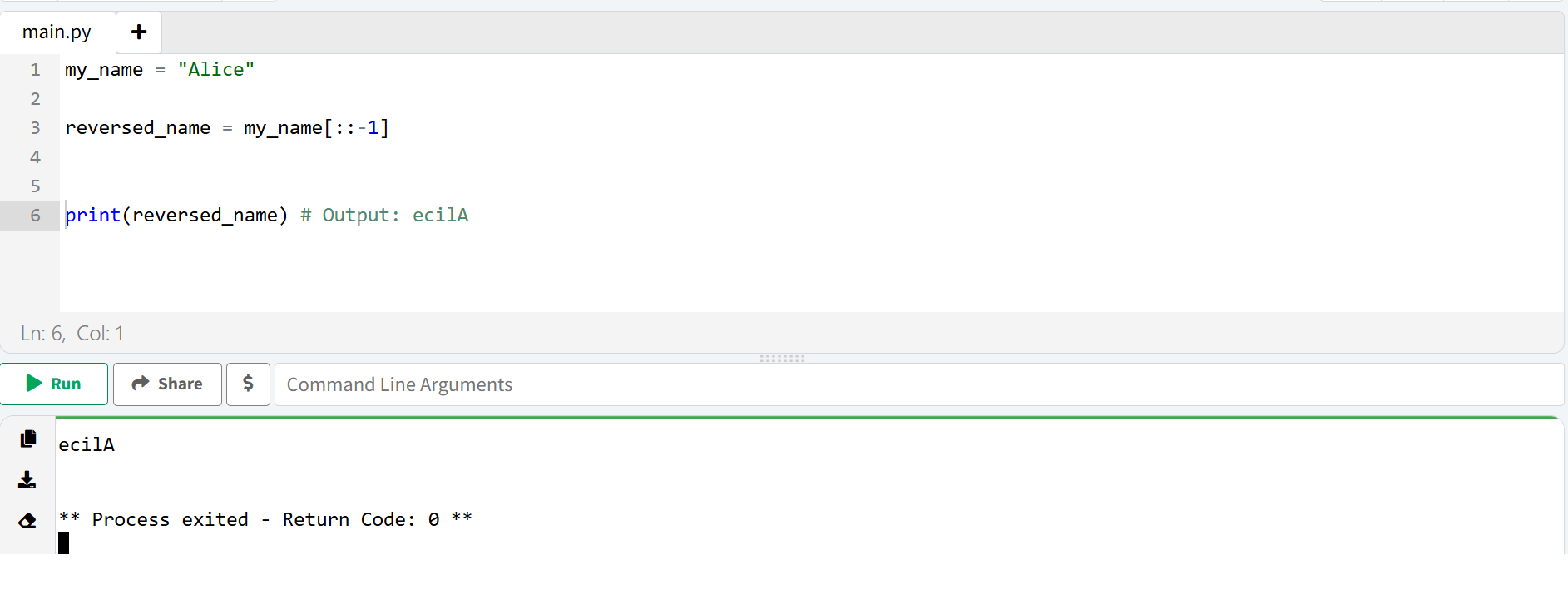
The Secret of Reversing: A Visual Guide
Let’s break down [::-1].
- Empty Start: When stepping backward, this means “Start at the very end.”
- Empty End: When stepping backward, this means “Go all the way to the beginning.”
- Step of -1: This is the key! It tells Python to walk backward, one step at a time.
Here’s Python’s thought process for “Alice“[::-1]:
Our String Map (with Negative Indexes):
word =          A   l   i   c   e
neg_index =    -5  -4  -3  -2  -1

Python's Backward Walk:

1.  **START at the very end (index -1).** Pick up 'e'.
    A   l   i   c   e
                    ^
    Result: "e"

2.  **Take 1 step BACK** (to index -2). Pick up 'c'.
    A   l   i   c   e
                ^
    Result: "ec"

3.  **Take 1 step BACK** (to index -3). Pick up 'i'.
    A   l   i   c   e
            ^
    Result: "eci"

4.  **Take 1 step BACK** (to index -4). Pick up 'l'.
    A   l   i   c   e
        ^
    Result: "ecil"

5.  **Take 1 step BACK** (to index -5). Pick up 'a'.
    A   l   i   c   e
    ^
    Result: "ecilA"

6.  We've reached the beginning, so we're done!

FINAL RESULT: "ecilA"
Making Your Python Strings Smarter: Formatted Strings (f-strings)
To mix variables into your strings, use f-strings. Just put an f before the quote and your variables inside curly braces {}.
player_name = "Alex"
score = 150
game_message = f"Hello, {player_name}! Your score is {score}."
print(game_message) # Output: Hello, Alex! Your score is 150.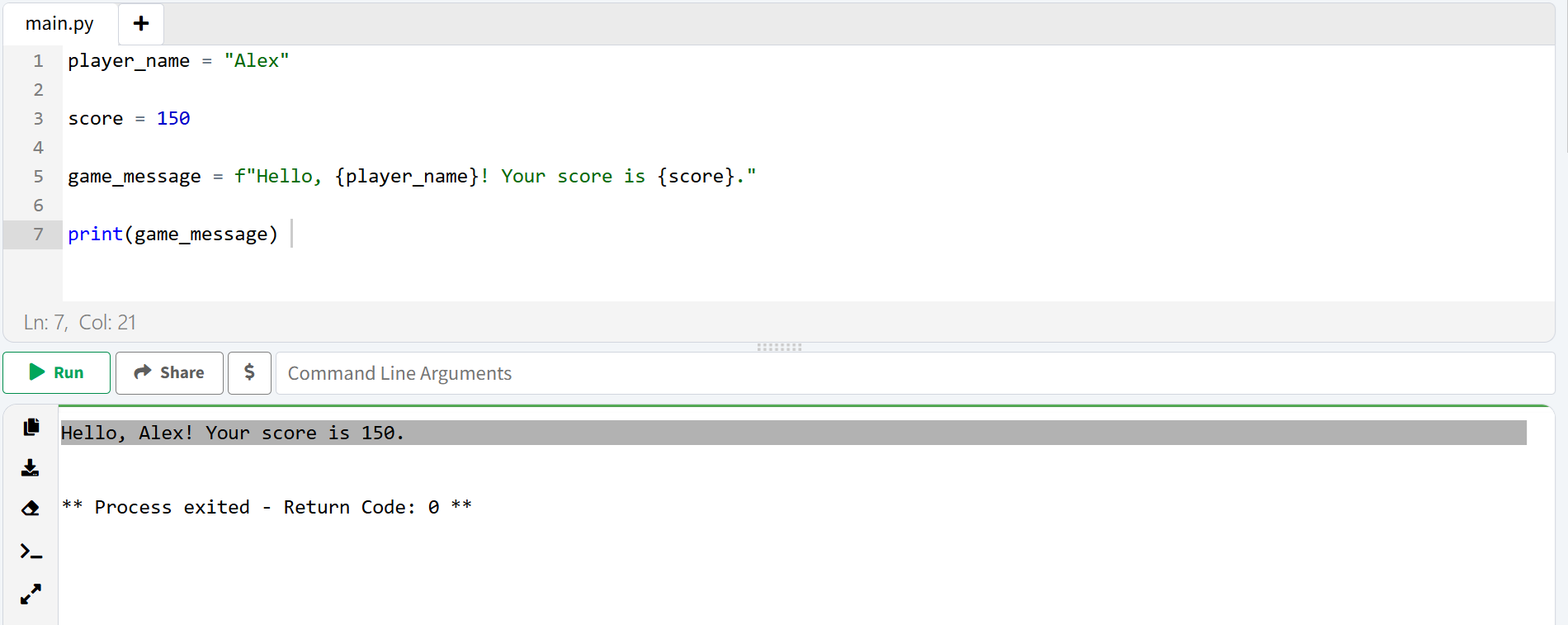
Let’s Recap!
You’ve learned so much today, including the visual logic behind Python’s coolest string tricks!
- You can create strings with ”, “”, and “””
- You know how Python organizes them: in neat, numbered boxes
- You can find any character with positive and negative indexing
- You can slice strings, and you’ve seen how Python follows the start and end rules
- You can use steps, and you’ve visualized how Python “hops” through a string
- You’ve mastered reversing by understanding the logic of a backward walk
- You can create smart text with f-strings
Strings are a building block for almost everything. Now that you’ve seen how they work on the inside, you have real coding superpowers. Happy coding!
If you want to explore more string methods and features, you can check out the official Python documentation for a complete reference.
Link: https://docs.python.org/3/library/stdtypes.html#text-sequence-type-str
Further learning
Python Functions for Beginners: Complete Guide With Examples
Conclusion
You’ve just learned one of the most important building blocks in Python – strings. From creating them with different quotes, to understanding how they live in memory, to slicing them up like a pro, and even reversing them with a simple trick – you’ve covered a lot today. These aren’t just random concepts. You’ll use them every single day as a Python programmer.
At ConsoleFlare, we help learners like you practice these skills through guided exercises, fun coding challenges, and real mentorship. Our instructors don’t just teach – they walk beside you, making sure you truly understand the “why” behind every line of code.
This is just the beginning. Once you’re comfortable with Python strings, you’ll be ready to take on bigger projects, crack coding interviews, and write clean, professional code that actually makes sense.
Keep learning. Keep coding. And remember – every expert was once a beginner.
For more tips, tutorials, and updates, follow us on Facebook, Instagram, and LinkedIn.