


Python functions make it easier to break up a big program into smaller, easier-to-manage parts. When writing longer scripts, repeating the same code becomes confusing. Functions, which let you write the logic once and run it whenever necessary, solve this. As a result, your code is kept neat, organized, and easier to maintain.
A function will only run when you call it. This simple rule gives you control over what happens and when in your program. Beginners can benefit from functions because they give the thought process structure and clarity.

What Are Python Functions
A function is a block of code that performs a single task. It doesn’t do anything until you call it. By avoiding needless execution, this design preserves the program’s effectiveness. Functions are used when you wish to reuse logic without writing the same statement over and over.
Why Python Functions Matter for Beginners
As your projects grow, code organization becomes increasingly important. Functions divide the program into logical sections. You can better understand problems by thinking in small steps. Debugging is made easier because each function only completes one task. This makes it possible for you to identify errors faster and fix them without having an impact on the entire program.
Types of Python Functions
Python offers two main types of functions.
Built-in Functions
These are already available in Python. You use them directly. Examples are print(), type(), len(), range().
User-Defined Functions
You can create functions that are user-defined. You write your own function when your program requires a particular task that Python does not offer by default. You select the logic, the parameters, and the name.
User-defined functions become especially useful when your program grows lengthy. Breaking the code into small, manageable pieces allows each part to serve a specific purpose. This method makes reading, updating, and maintaining the program much easier. You can also execute the same function multiple times with different inputs without changing the code.
Defining a Function
To define a function, you use the def keyword. Inside it, you write the code you want Python to execute.
This function is ready, but it will not run until you call it.
Calling a Function
In Python, calling a function activates the code inside it.


The moment you type myfunc(), Python prints the message.
Parameters and Arguments
There are situations when you want the function to handle input values. Arguments and parameters are used to handle these inputs. In the function definition, parameters are placeholders. The values you pass to the function when you call it are called arguments.
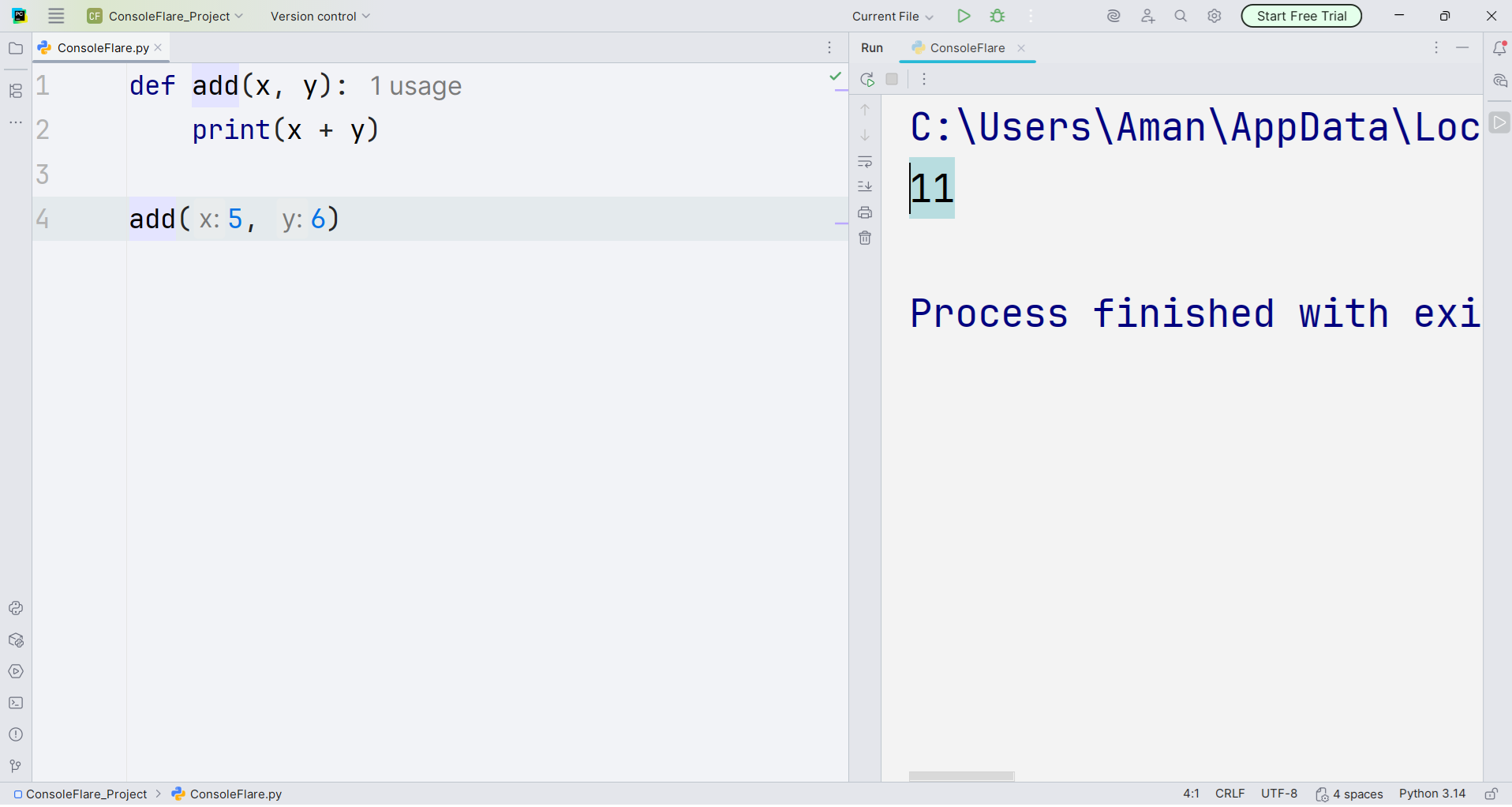

Here, x and y are parameters. When you call add(5, 6), Python assigns 5 to x and 6 to y.
Default Parameters
In the first call, no arguments are provided, so Python applies the default values x=0 and y=0, resulting in 0. When you pass values in the second call, Python replaces the defaults with your inputs. This flexibility helps your code handle both expected and missing arguments gracefully.
This prints 0 because both parameters use their default values.
If you provide values, Python uses your input instead.
In the first call, no arguments are given. Python uses x=0 and y=0, so the result is 0.
In the second call, you pass values, so Python replaces the defaults with the new ones.
You use default values when you want your code to work even if you don’t give it any input. They help with formatting, logging, timers, making options, and a lot of other easy things. Default values keep your code from failing when it doesn’t get all of the arguments it needs. They promise that your code is safe and works properly.
You set the default values at the end of your list of parameters. Python adheres to this sequence to prevent confusing required and optional values. It facilitates calling and comprehending your function.
If you would like, I can also include examples using return values, lists, or strings.
Keyword Arguments
You can use keyword arguments to pass values to a function by explicitly stating the parameter’s name. This makes your function calls easier to read and avoids misunderstandings about the order of the arguments.
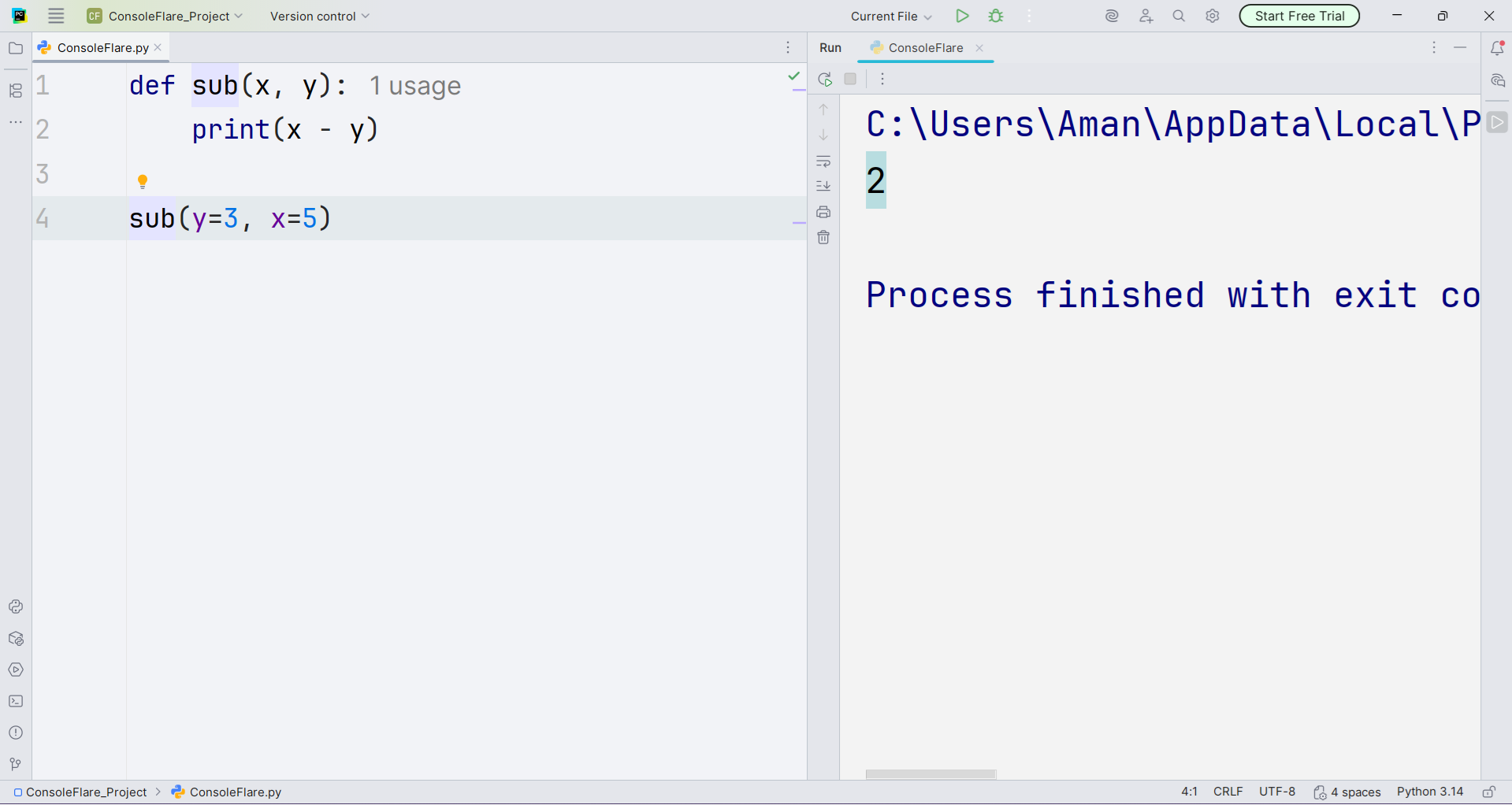

Even though the order is different, Python assigns values correctly because of the names.
Exercise Example For Python Functions
Python assigns x=7 and y=9. For z, it uses the default value 7.
Output becomes 7 * 9 * 7, which equals 441.
Practical Use Cases
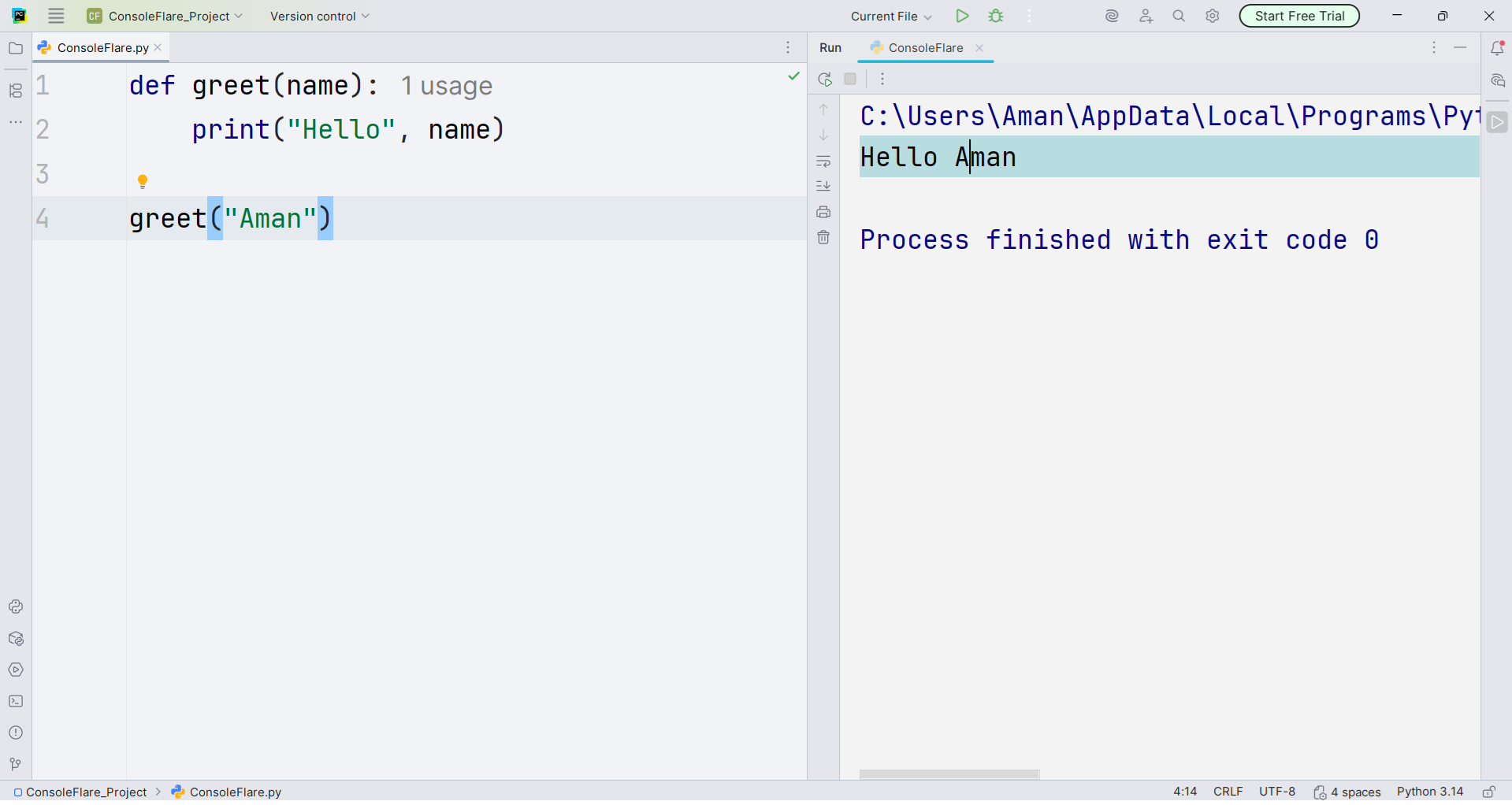
Functions make real tasks simpler. For example, a greeting function keeps your code organized and easy to read.
Tips for Beginners
Give your functions clear names. One function should be used for one task. Don’t make functions too long. To learn how each function works, test it independently. This enhances your coding structure and gives you more self-assurance.
Resource:
Official Python Input Documentation
Further learning
Summary
Python functions allow you to write clear, reusable code. Begin by defining a function def and call it whenever you need. Using parameters, arguments, default values, and keyword arguments gives you control over the function’s behavior. Understanding these concepts makes your programs easier to read, debug, and expand.
Conclusion
Understanding Python functions forms a core skill for every beginner programmer. The concepts you learned here lay the foundation for writing clean, reusable, and organized code. At ConsoleFlare, learners practice these skills daily through guided exercises, coding challenges, and hands-on mentoring. These exercises teach you how to define functions, pass parameters, use default values, and work with keyword arguments while showing why each step matters in real-world programming.
The training emphasizes clarity and builds confidence. Instructors guide every learner to master Python, organize logic with functions, and develop coding workflows for real projects. This foundation prepares you for larger programs, coding interviews, and professional tasks where reusable and well-structured code drives results.
Strong mentorship makes the difference when building a future-proof programming skillset. ConsoleFlare walks you through these skills step by step, helping you move into real coding projects with practical knowledge and confidence.
For more content and updates, follow us on Facebook, Instagram, and LinkedIn.