


Text data is always messy. You get extra spaces, wrong cases, bad phone numbers, mixed formats, and unclear feedback messages. Cleaning such text becomes easy when you use Pandas string functions. Pandas gives you a large set of tools under the An .str accessor that helps you edit, format, split, and validate string columns.
This guide shows each important string function with simple examples. Every concept is explained in a clean and natural way so beginners understand without confusion.
You will work on one sample dataset and apply all functions step by step.
Download Sample Dataset: string dataset
1. Load Sample Dataset
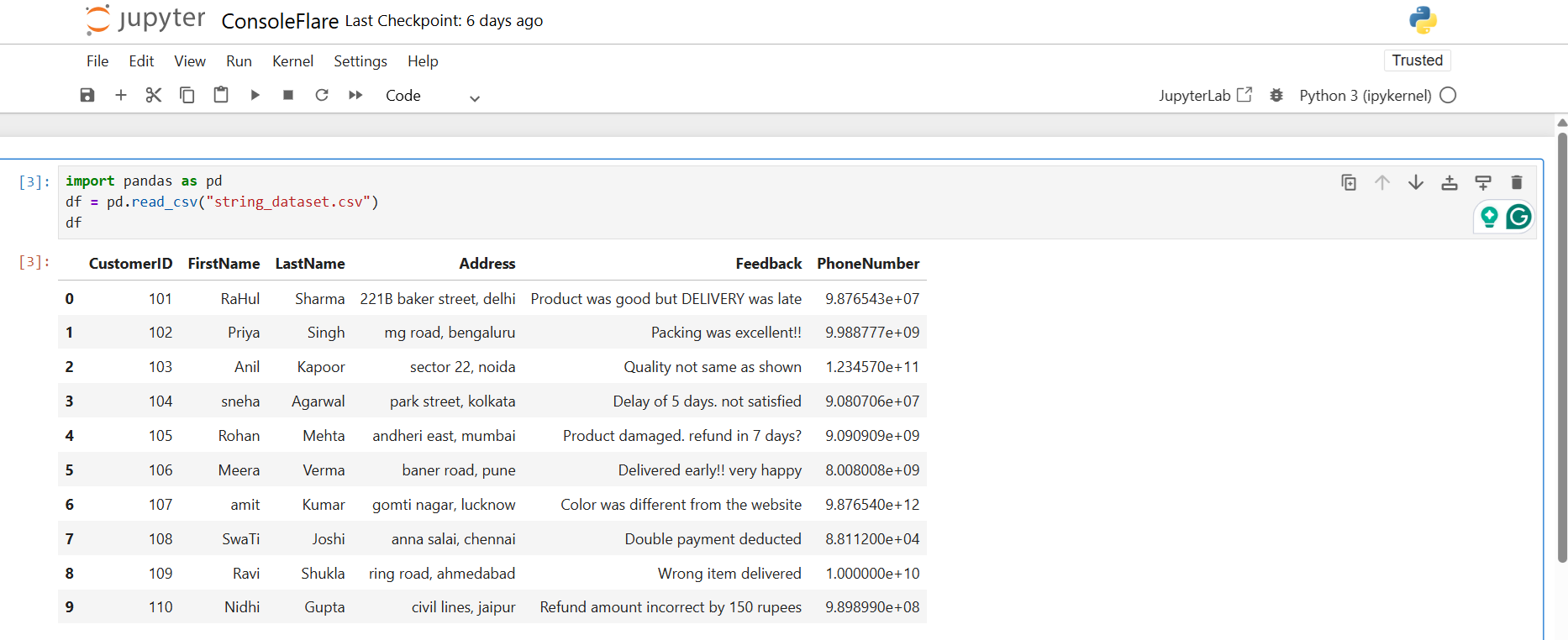
What this does
You load a CSV file into a DataFrame. Pandas reads the columns automatically.
Where it is used
You need this step in every project before any cleaning.
2. Why Pandas String Functions Are Important
Text comes in many forms. People type with different styles or spellings. Addresses have commas. Names contain extra spaces. Phone numbers include symbols. Feedback messages mix upper and lower case.
Pandas string functions help you do tasks like
• clean whitespace
• convert case
• split text
• remove symbols
• validate numbers
• extract parts of a string
• filter rows by keywords
All string functions work through .str accessor.
Example:
3. Remove Extra Spaces Using strip() in Pandas String Fucntions
What this does
strip removes spaces from the beginning and end of each cell.
Real example
User name entered as " Amit" or " Riya" becomes "Amit" and "Riya".
4. Standardize Text Case
Capitalize the first letter
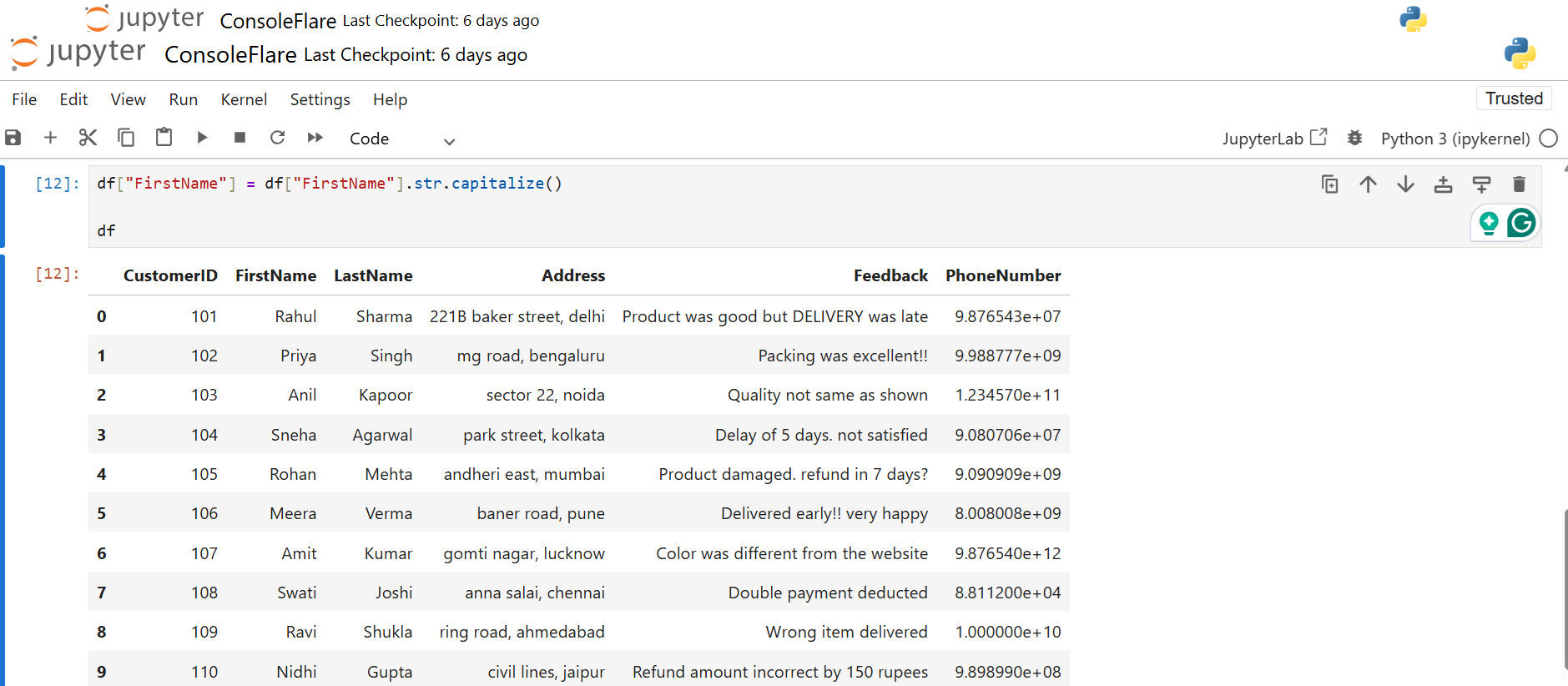
Why
It gives a neat format when you display name lists.
Convert last name to uppercase
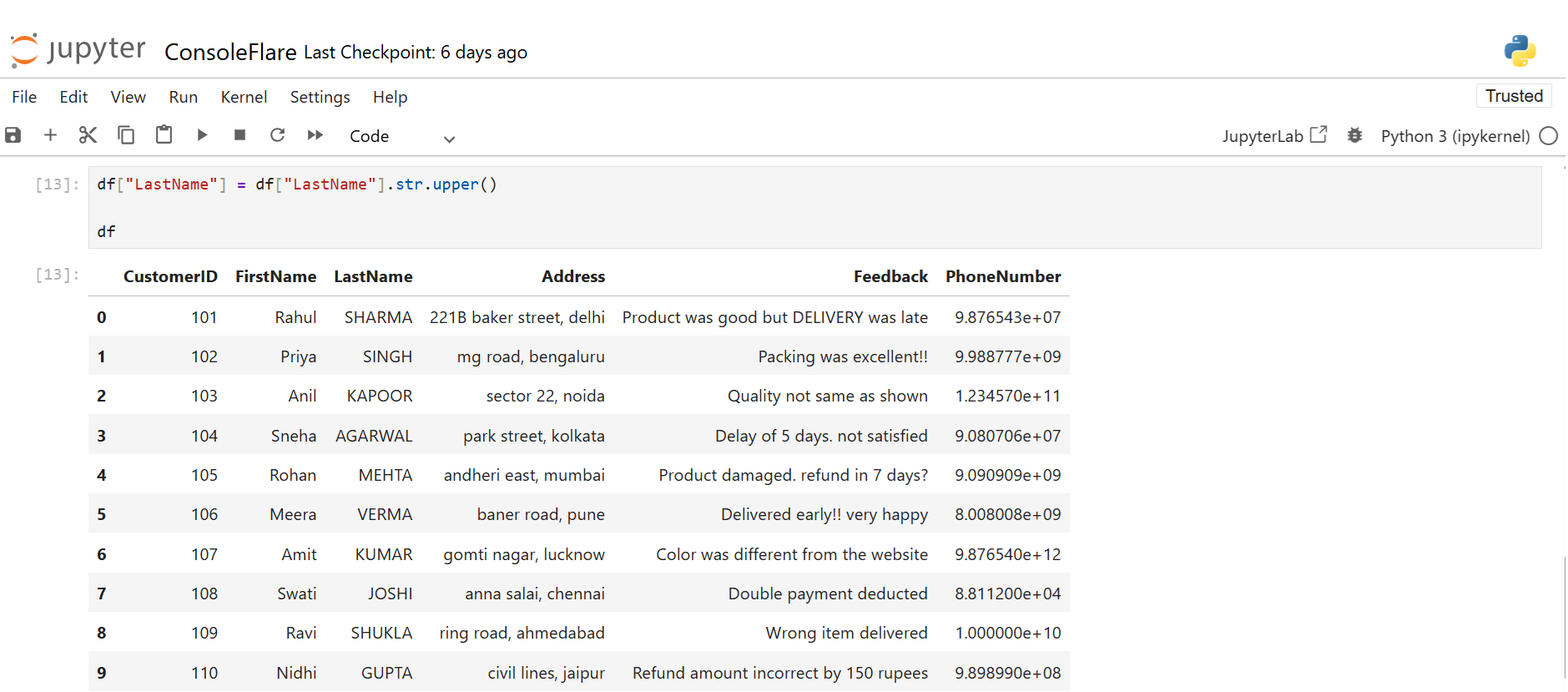
Why
Customer IDs, last names, or department codes often follow uppercase standards.
Address in lowercase
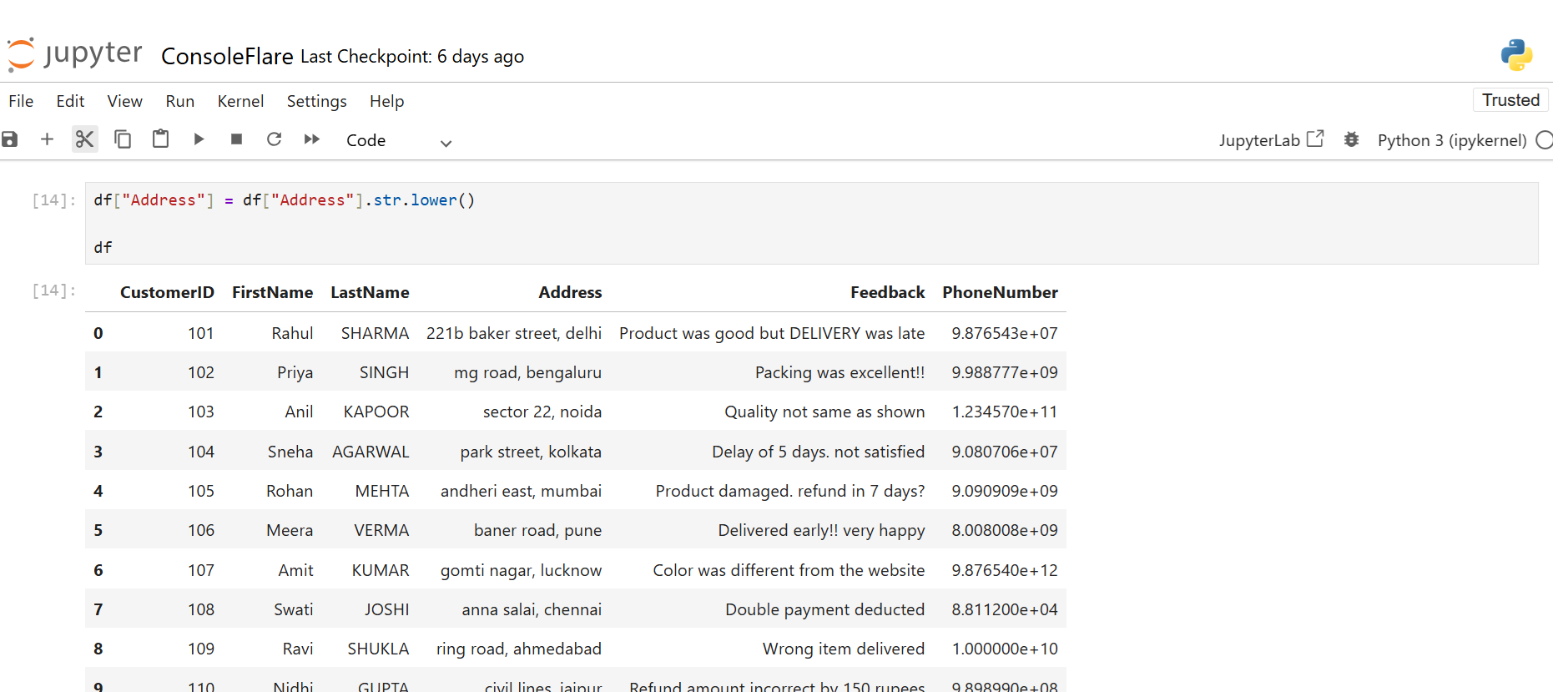
Why
Lowercase helps in comparisons and searching.
Change Feedback Case Using Pandas String Functions
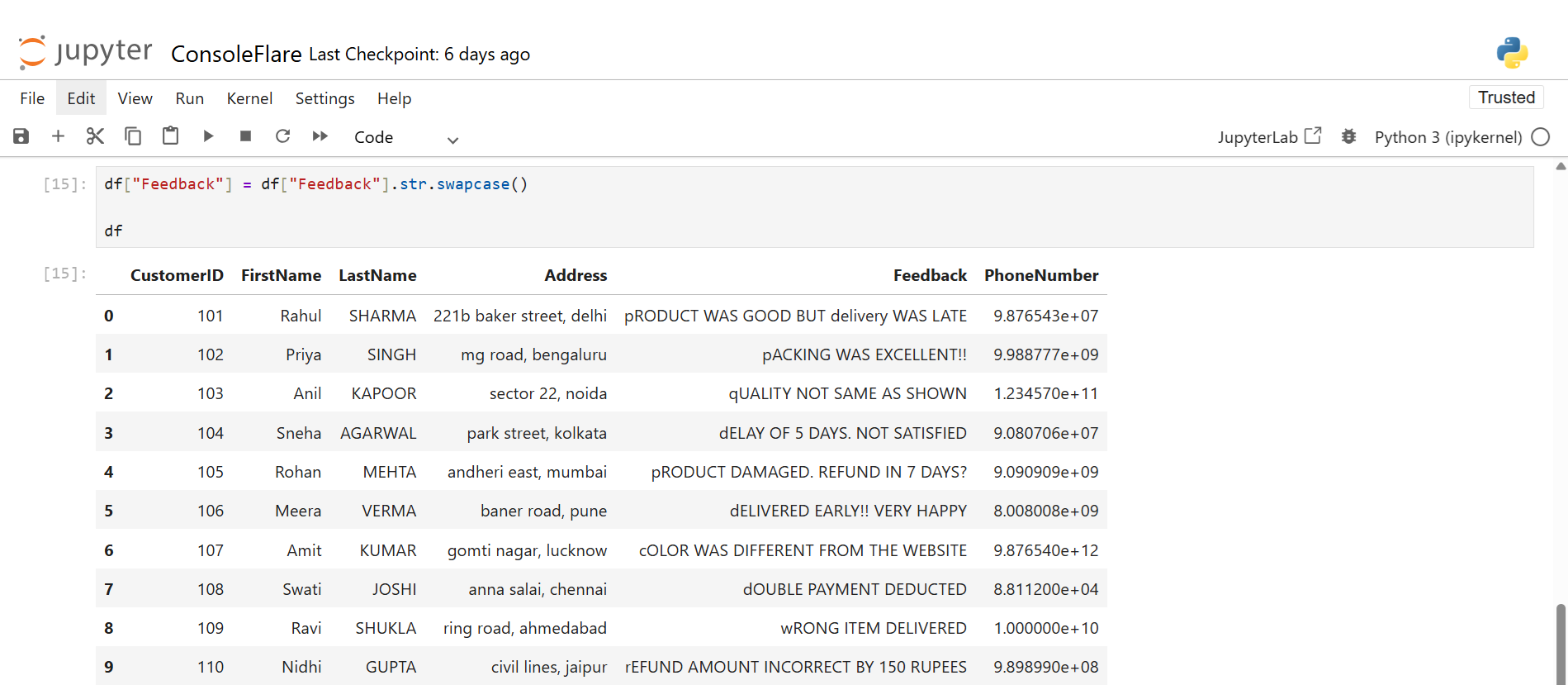
Why
Excellent for examining formatting problems in user input.
5. Find Text Length Using Pandas String Functions (str.len)
Full name length
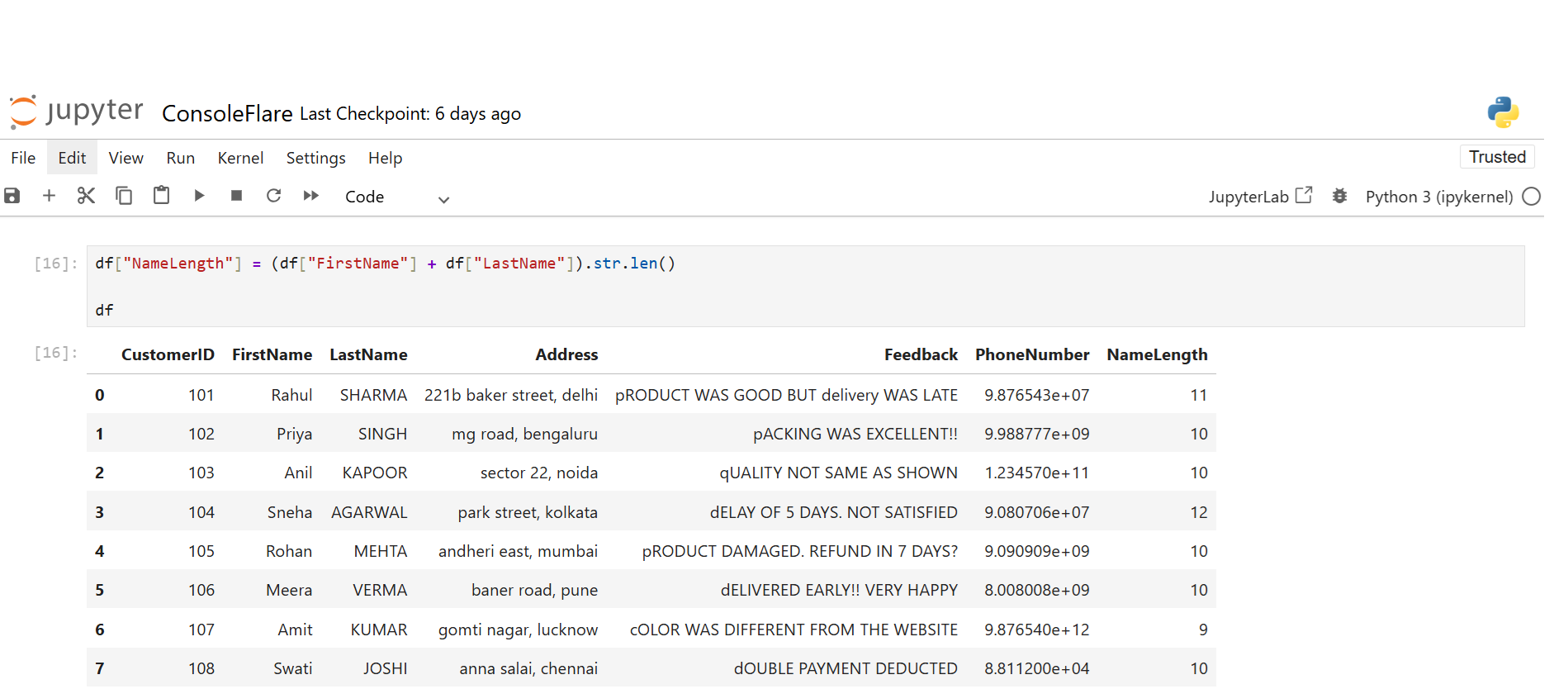
What this does
Counts characters in the combined name.
Where used
Useful in validation and text analysis.
Phone number length
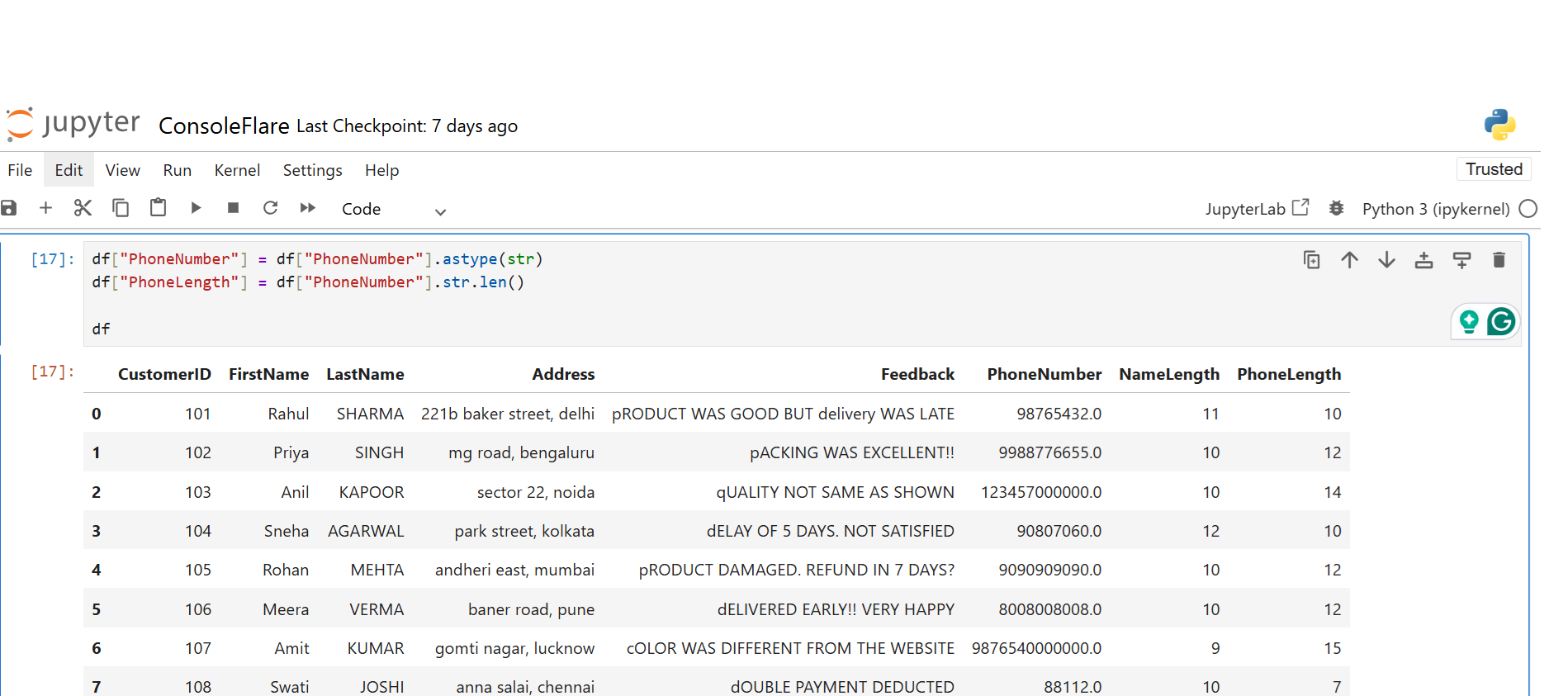
Why
Ten-digit phone numbers are required. A number’s length indicates whether it is valid or not.
6. Identify Invalid Phone Numbers Using Pandas String Functions
Length not 10
Meaning
Shows numbers that are too short or too long.
Use case
Detect wrong input like
• 98-1234-567
• +91 98123
• “abc12345”
7. Replace Text Using replace()
Replace “street” with “st.”
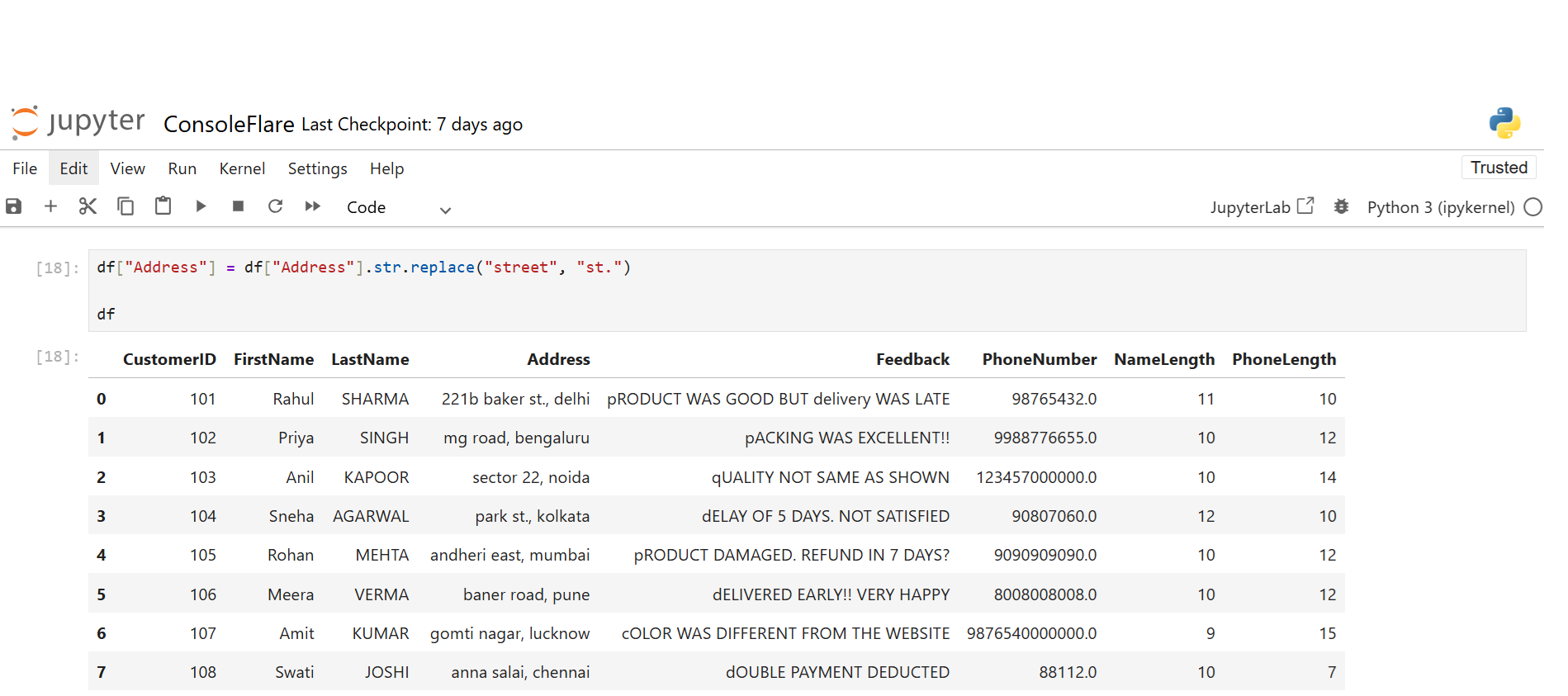
Why
Shortens addresses and makes them consistent.
Remove Punctuation From Feedback Using Pandas String Functions
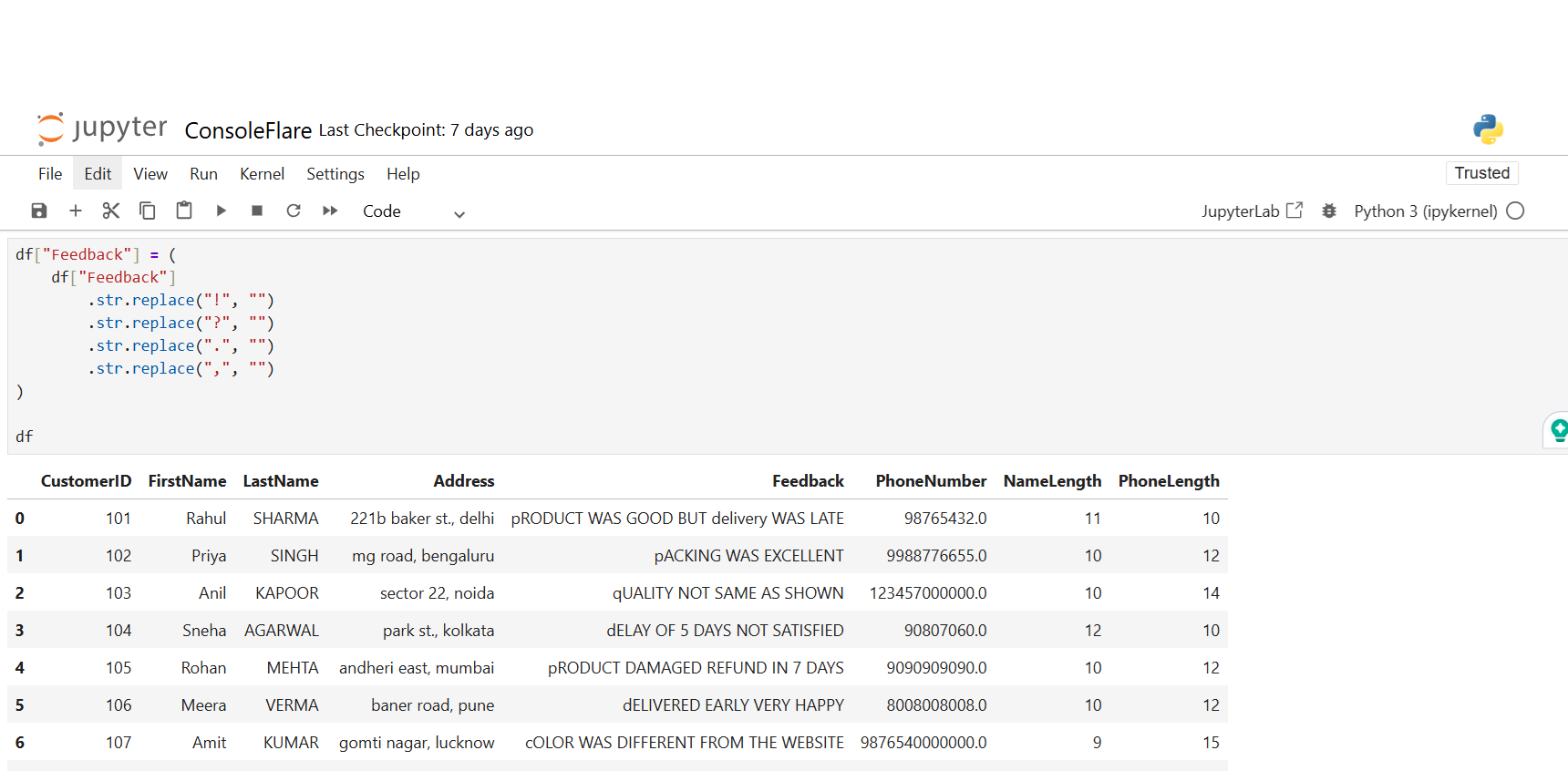
Why
Feedback comments often contain unnecessary punctuation. Removing them helps in sentiment analysis and keyword scanning.
8. For privacy, hide your phone number
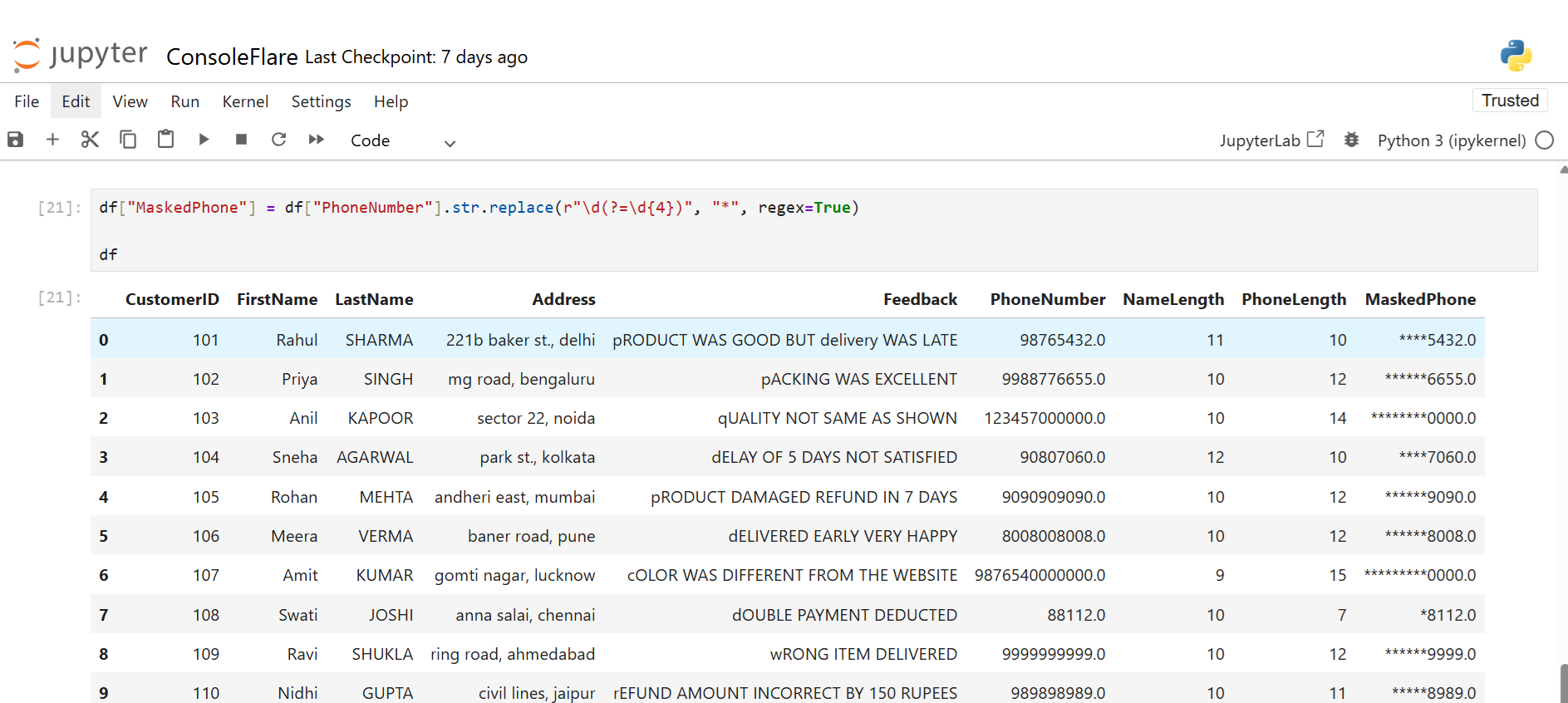
What it does
Replaces all digits except the last 4 with *.
Example:9876543210 → ******3210
Where used
on customer display cards, dashboards, and reports.
9. Split Address Column
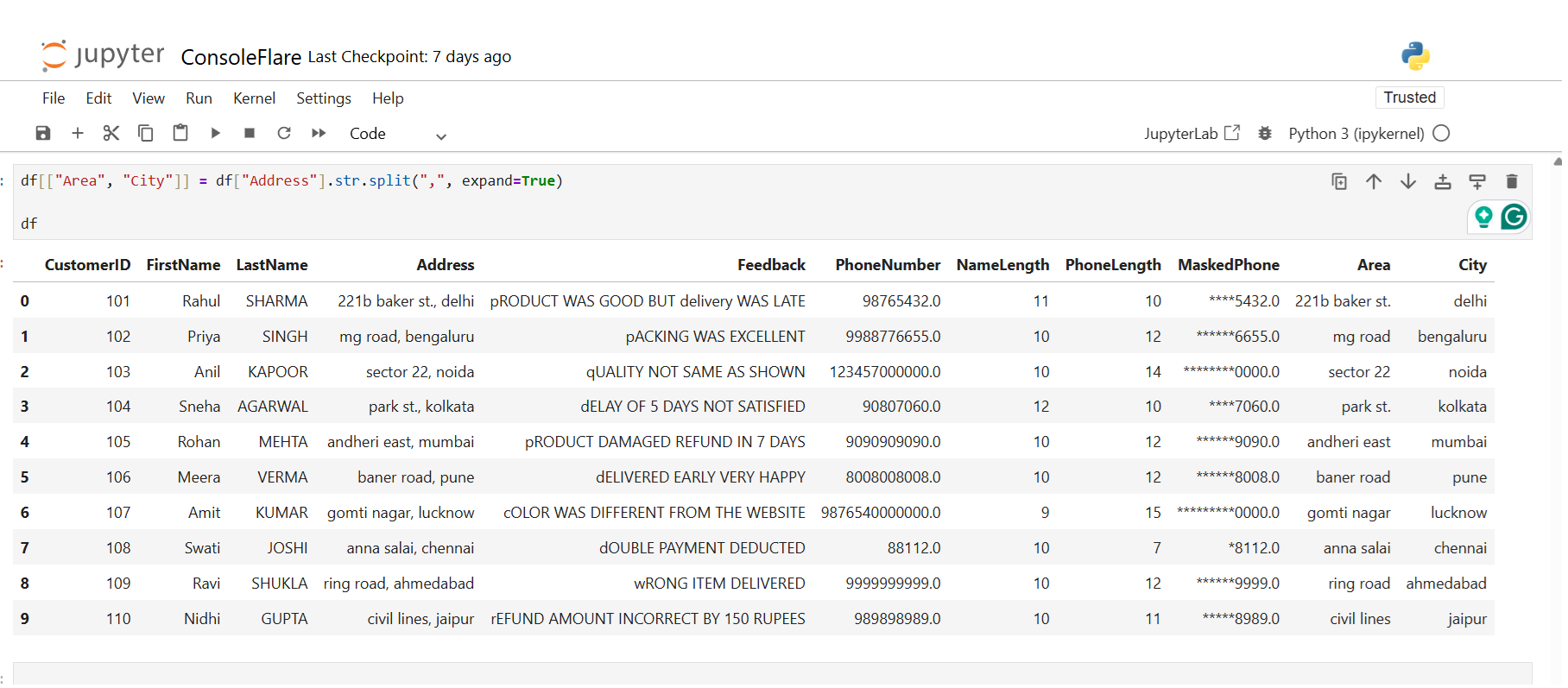
How this works
divides the address according to the comma into two new columns.
Why it’s useful
separates the city and locality for analysis, grouping, and filtering.
10. Make a city code using the first three letters
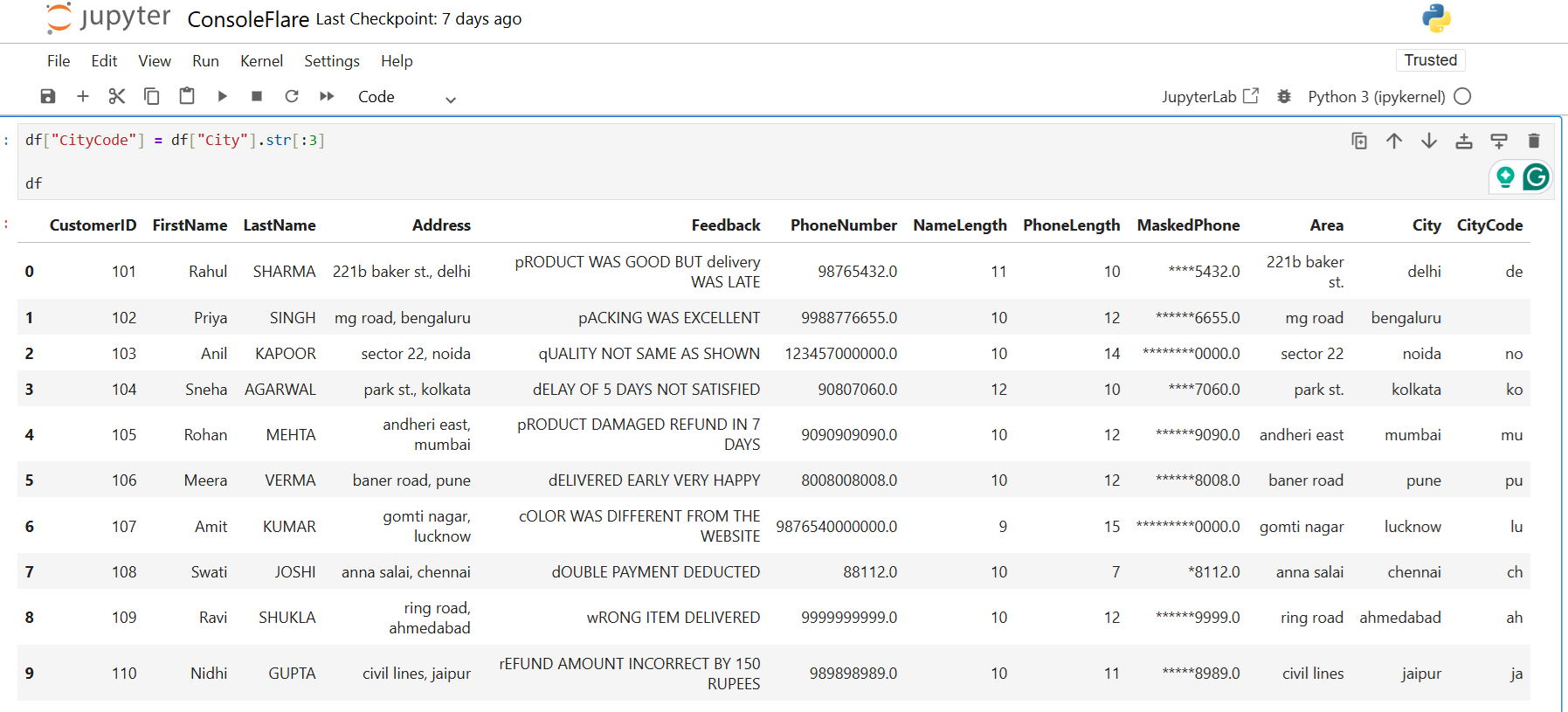
Meaning
Extracts the first 3 characters.
Example
Mumbai → Mum
Pune → Pun
Where used
naming, tagging, or grouping based on the city.
11. Filter Text Using contains, startswith, endswith
Rows containing refund or damaged

Use
Find complaints quickly.
Rows containing both not and satisfied

Use
Detect negative satisfaction comments.
Delivered but not late

Use
Find positive delivery comments.
Address starting with park

Use
Group people in a specific area.
Address ending with Mumbai

Use
Fetch city-wise records.
Address containing numbers

Use
Find addresses with house numbers.
12. Create Full Name Column
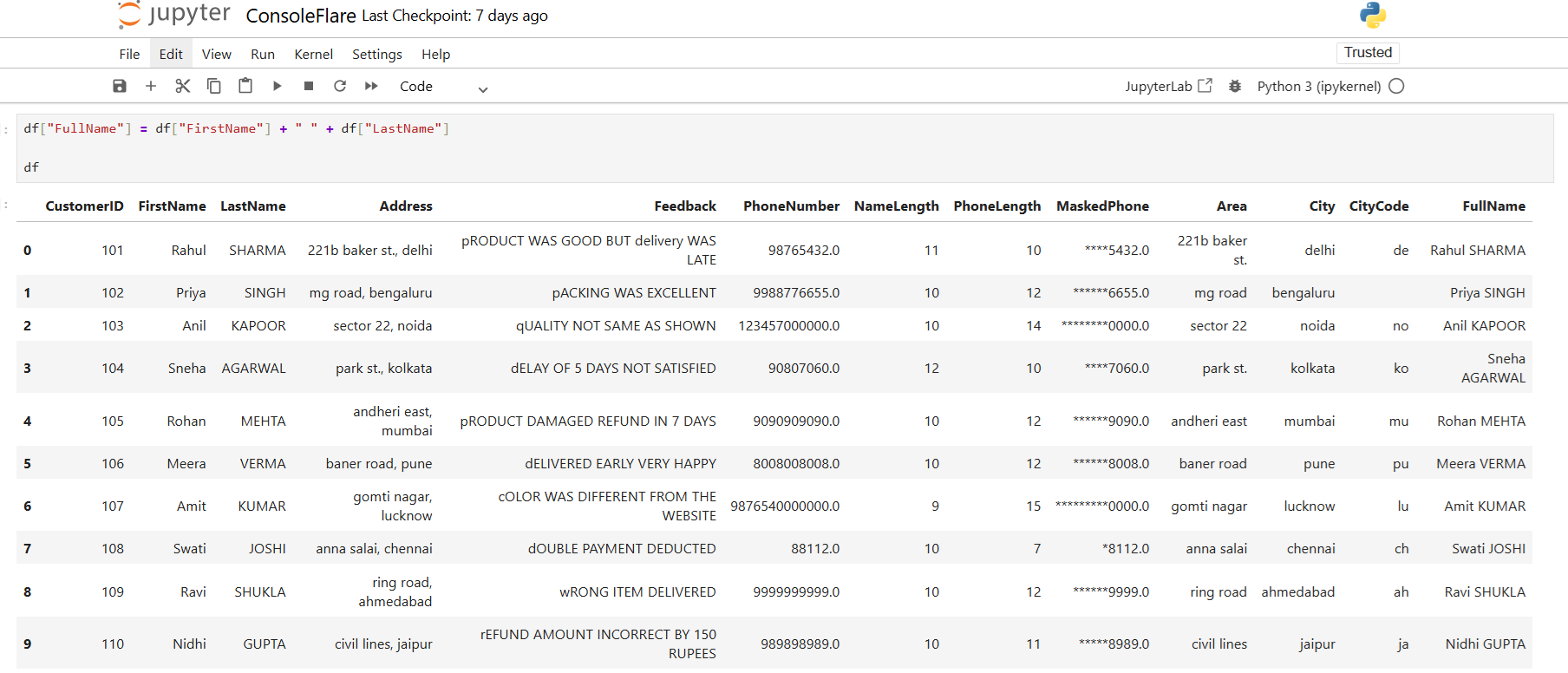
Why
FullName gives a clean single column useful for reports.
13. Create Advanced Customer Code

Breakdown
• First 2 letters of name
• Last 2 digits of customer ID
• Reverse of city name
Example
Aman, ID 1045, “pune” → Am-45-enup
Where used
Unique internal customer IDs.
14. String Indexing
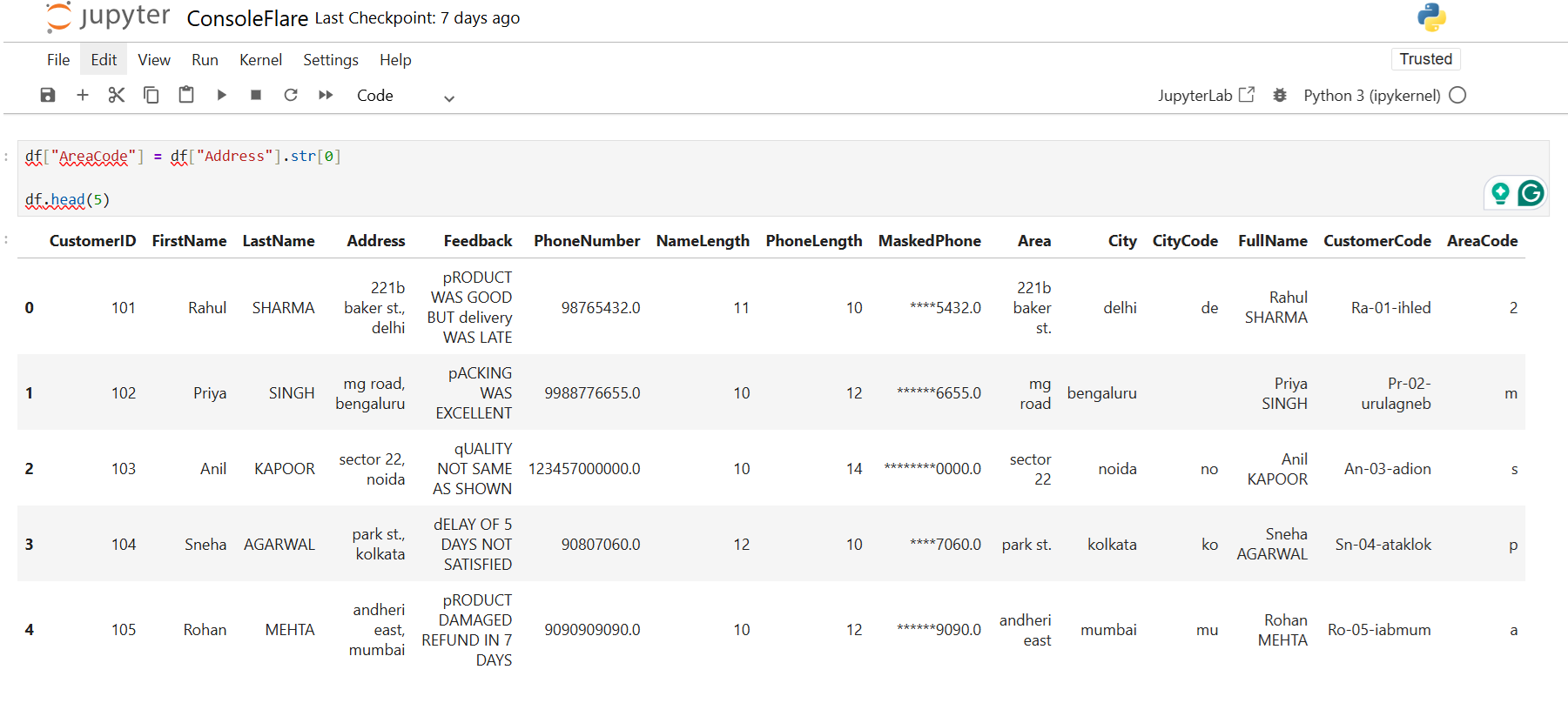
Meaning
Takes the first character of the address.
Use
Quick character-based classification.
15. Slicing Examples
First 3 letters of the first name
Reverse last name
Reverse the entire address
Final Note
You work faster when you use Pandas string functions for text cleaning. These tools help you fix cases, remove noise, check formats, and prepare data for analysis. You save time and keep your workflow simple.
Internal link:
- Value_counts and Groupby in Pandas Explained in Easy Steps
- Date Handling in Pandas in Easy Steps
- Aggregate Functions in Pandas: Beginner’s Guide with Examples
Link once to Pandas official documentation:
Conclusion
Pandas string functions make text cleaning simple. You fix cases, remove noise, check formats, and prepare your data for analysis in less time. These functions help you handle real text problems in datasets, like phone numbers, feedback, comments, and IDs. When you use these tools, your workflow becomes smooth and consistent.
If you want to learn more about data handling, data cleaning, or how Python is used in real projects, join our free workshop on Master in Data Science with Power BI. You will understand how the field works, what skills matter, and why companies offer strong salaries for data roles.
You learn each tool from the basics. This makes you ready for any data-focused profile.
To join, register on ConsoleFlare. You will get a call back.
ConsoleFlare has been listed among the top training institutes. The program teaches you in simple Hindi and follows a clear rule: learn only what is needed for the job.
Want to explore more?
Register yourself on ConsoleFlare.