



HackerRank XML and UID Problems Explained shows that writing code alone does not guarantee a good solution on HackerRank; you must also understand the problem requirements, learn how to properly read those requirements, know the correct input format for submission, and understand how to process that input as specified. Additionally, it is important to recognize how each line of the solution contributes to meeting the problem’s requirements. These solutions follow the formatting and best practices indicated by ConsoleFlare, along with the core principles we have already reviewed.
There are two HackerRank problems that will be discussed in this post:
- XML 1 – Find The Score
- Validate UID’s
XML-1 Find The Score
This assignment involves finding the total number of attributes for all elements in an XML file. There may also be child elements within an XML file so, there could be child elements with attributes as well.
Input Format:
The First (1st) line of the Input will be a Number Called ‘N’ – where N is the Number of lines in the Input XML Document.
And the next N (that is, Lines 2 to N+1) lines will contain the XML Data (as mentioned below).
The XML Data must be treated as One XML Structure – this means that you cannot assume each line represents a distinct “Line of XML”.
Output Format:
The Output must be a Number representing the Total Number of Attributes in the XML Document.
Example (Input):
<root>

<child name="abc" value="10">

<subchild enabled="true" />

</child>

</root>
Example (Output):
3 Example (Explanation):
The Element has Two (2) Attributes (name, value) and has One (1) Attribute(enabled). Therefore, Total Attributes = (The Number of Child Attributes) + (The Number of Subchild Attributes) = (2+1=3)
How to approach this Problem and create a solution:
- Parse the XML Input into a tree-like structure (follow the same steps as you would parse any other data type into a tree structure).
- Get to the root Element and count the Attributes for that Element.
- Do the same for Every Child. Likewise.
- Add the Total counts of Attributes together.
- Recursion is thebestway to approach this Problem because XML naturally forms a Tree-Like Structure.
Code:
# Importing required Libraries
import sys
import xml.etree.ElementTree as etree


def get_attr_number(node):
count = len(node.attrib)
for child in node:
count += get_attr_number(child)
return count


if __name__ == '__main__':
sys.stdin.readline()
xml = sys.stdin.read()
tree = etree.ElementTree(etree.fromstring(xml))
root = tree.getroot()
print(get_attr_number(root))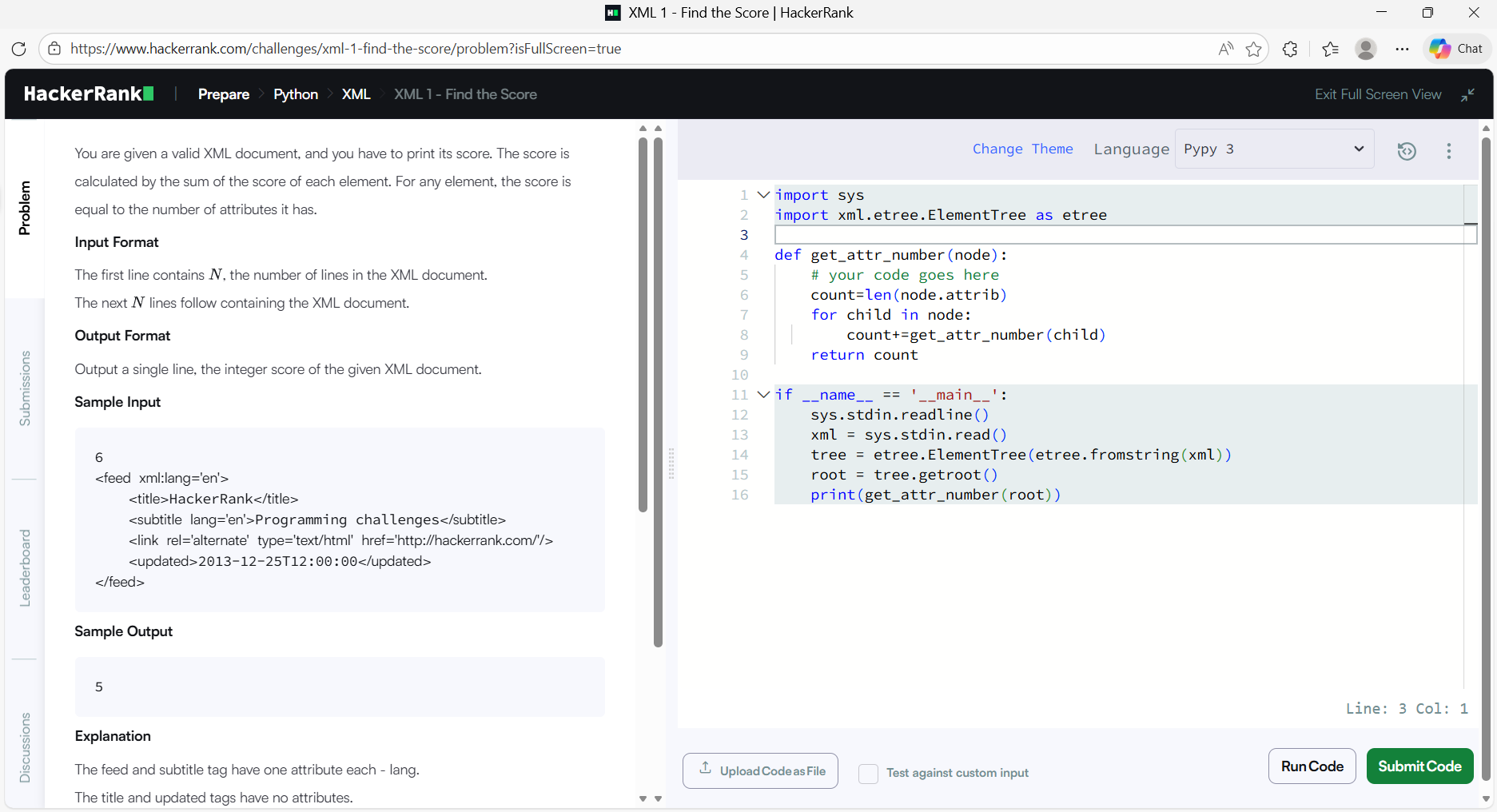

Line by line explanation
The next section describes code and its functions, some of which are applied to process XML data. Importing sys Imports a set of functions that allow a program to read and process the standard input provided by HackerRank. And importing xml.etree.ElementTree, as etree Is used to parse, read, manipulate, and transform XML documents into Python objects (or vice versa).The definition of get_attr_number() defines a recursive function that processes and collects information for each XML element passed in as an argument until there are no further child elements to process. Here, the count variable Stores the number of attributes for the element passed in as an argument (current node). Iterating through all child elements of the current node and collectively accumulating the counts for all child elements of the current node (in the count variable) will eventually allow the function to return the count of attributes for the current node and all child nodes combined. Finally, the return Statement Returns the total number of attributes for the current node and all child nodes.
Line 1: Read the first line of data input and ignore it because it contains the number of XML data lines.
Line 3: Read all data from the input (a single stream of data) into a string.
Line 5: Convert the string into XML using etree (the code will create an XML tree).
Line 7: Get the root element of the newly created tree.
Line 9: Call get_attr_number() on the root element and print the total count of all attributes for that root element and its child nodes.
Validating UID
Problem Statement
You are given a number of UIDs (User IDs). For each UID, you must check if it is Valid or Invalid by comparing it against a set of rules.
Input Format
The first Line contains an integer T, which states how many tests you will perform.
Each of the next T Lines will contain one UID string.
Output Format
For each UID printed Valid or Invalid on its own Line.
Rules for a UID to be considered VALID
A UID will only be considered valid if:
The UID is 10 characters long, exactly.
There are at least 2 upper-case letters in the UID (A-Z).
There are at least 3 digits in the UID (0-9).
The UID can only contain letters and numbers (not spaces, symbols, etc.).
All letters/numbers in the UID must be unique.
Example
Input:
-
2

B1CD102354

B1CDEF2354
Output:
-
Invalid

Valid
Illustrative Example
The UID B1CD102354 contains repeated characters, hence it is Deemed Invalid.
The UID B1CDEF2354 satisfies all conditions; therefore, it is considered Valid.
Methods / Rationale
The stepwise validation of the UID includes:
- To verify the Length
- To verify the Upper-case Letters via RegEx
- To verify the Numeric Digits via RegEx
- To verify Alphanumeric Characters
- To verify Uniqueness by creating a Set
Any violation of these Conditions results in an Immediate Marking of Invalid for that UID.
Line-by-line explanation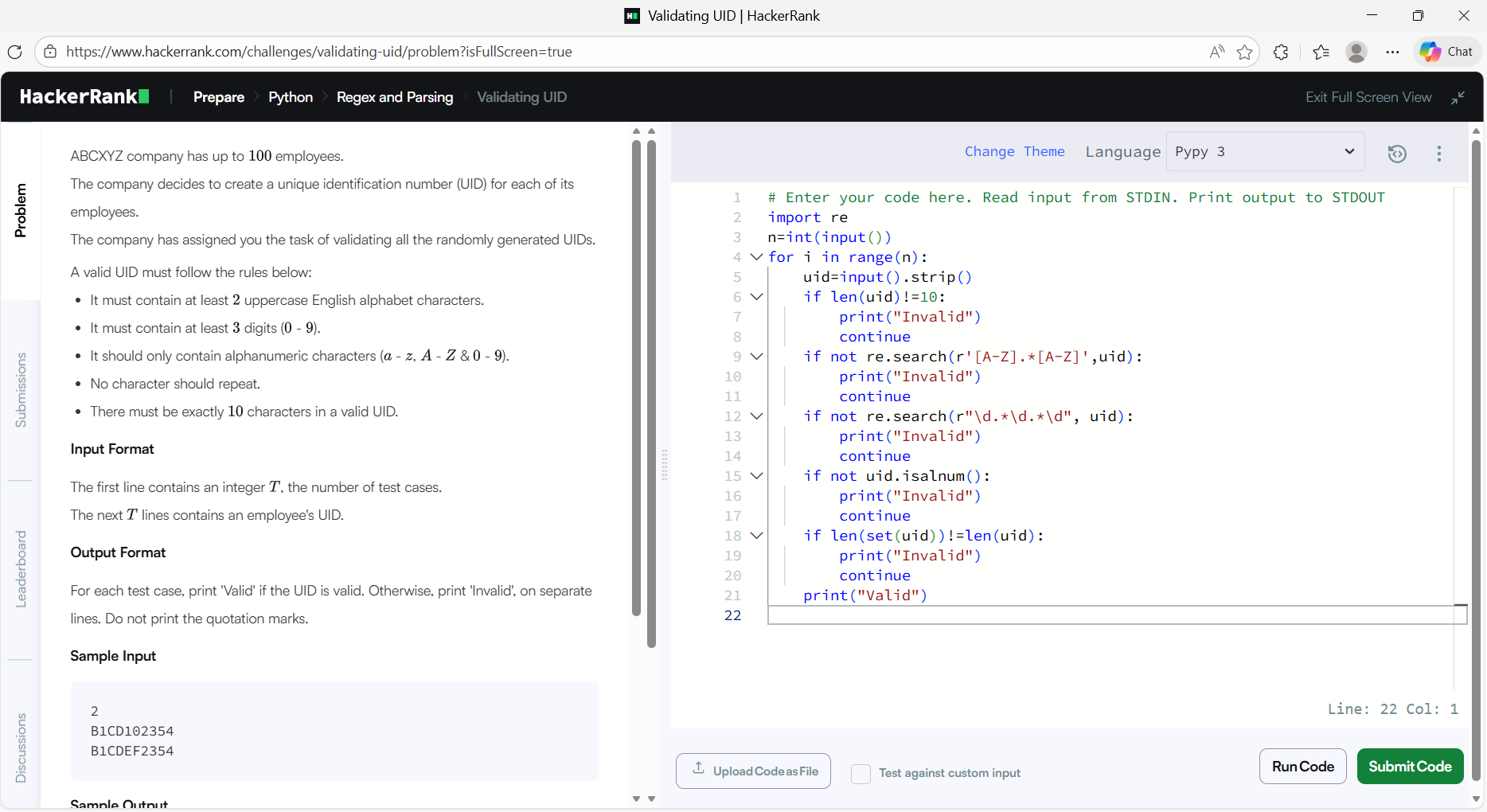

import reThis line imports Python’s re module, which is used for regular expressions.
Regular expressions help us search for patterns in strings, like uppercase letters or digits.
In this problem, regex is required to validate UID rules efficiently.
n = int (input ()) This line takes inputn, which represents the number of UID strings we need to validate.
input() reads the value as a string, so int() converts it into an integer.
for i in range(n): This loop runs once for each UID.
If n = 5, The loop will execute 5 times.
Each iteration validates one UID.
uid=input().strip()This line reads the UID string from input.
.strip() removes any leading or trailing spaces, which could cause incorrect validation.
Now, uid contains a clean 10-character string for checking.
if len(uid)!=10:
        print("Invalid")
        continue
According to the problem, a valid UID must be exactly 10 characters long. This condition checks the length of the UID.
When the length is not 10:
-
-
"Invalid"is printed. -
continueimmediately skips the remaining checks and moves to the next UID.
-
This avoids unnecessary validation if the basic rule fails.
if not re.search(r'[A-Z].*[A-Z]',uid):
    print("Invalid")
    continue
This regex checks whether the UID contains at least two uppercase English letters.
Explanation of the pattern:
-
-
[A-Z]– one uppercase letter -
.*– any number of characters in between -
[A-Z]– another uppercase letter
-
re.search() returns None If the pattern is not found.
not means the condition becomes true when fewer than two uppercase letters exist.
In case the UID does not contain at least two uppercase letters:
-
-
It prints
"Invalid". -
continuemoves to the next UID input.
-
if not re.search(r"\d.*\d.*\d", uid):

      print("Invalid")

    continue
This regex checks whether the UID contains at least three digits.
Pattern explanation:
-
-
\d-one digit (0–9) -
.*– any characters in between -
The pattern is repeated three times – ensuring three digits anywhere in the UID.
-
If fewer than three digits are found:
-
"Invalid"is printed. - The loop continues to the next UID.
-
-
 if not uid.isalnum():
        print("Invalid")
        continue
.isalnum() checks whether the UID contains only letters and digits.
It returns False if special characters like @, #, $, _ are present.
According to the problem, special characters are not allowed.
If any special character exists:
-
-
UID is marked
"Invalid". -
Remaining checks are skipped
-
if len(set(uid))!=len(uid):
        print("Invalid")
continue-
set(uid)removes duplicate characters from the UID.
If the length of the set is less than the length of UID, it means:
-
-
Some characters are repeated.
-
HackerRank requires all characters to be unique.
If duplicate characters are found:
-
-
"Invalid"is printed. -
The program moves to the next UID.
-
print("Valid")If all conditions pass successfully, this line is executed.
It means the UID satisfies:
-
-
Length = 10
-
At least 2 uppercase letters
-
At least 3 digits
-
Only alphanumeric characters
-
No repeated characters
-
-
Hence, the UID is Valid
Conclusion
The conclusion of my learning experience with XML 1 – Finding the Score and Validating UID was an extremely beneficial one, as it helped me clearly understand how problem requirements are analyzed and converted into working code by following proper guidelines and structured approaches shared by ConsoleFlare.
The XML problem gave me a deeper appreciation for tree-like structures, recursion, and structured data parsing techniques, which are widely used in real-world applications such as APIs and configuration files. On the other hand, the UID Validation problem strengthened my understanding of string manipulation, regular expressions, and step-by-step validation logic, which are essential concepts for building authentication systems and form validation mechanisms.
Learn more about Python’s official documentation on Python.org.